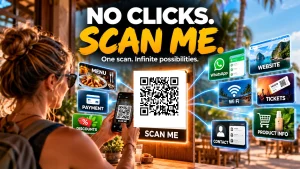
The No CLICKS – SCAN ME Movement!
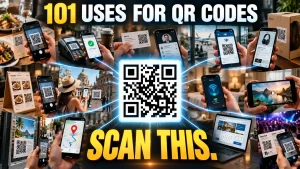
101 Uses for QR Codes –
The Best Use of SCAN ME!
QR codes have quietly become one of the simplest bridges between the physical and digital worlds.
You see one on a restaurant table, a product package, a concert ticket, a business card or a parking meter.
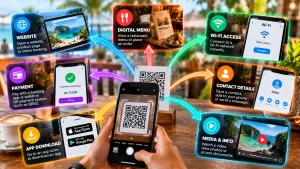
Scan it with your phone and suddenly something happens.
A website opens.
A WiFi Hotspot is joined.
A payment starts.
A menu appears.
A contact is saved.
A video plays.
A location appears on a map.
The clever bit is that the QR code itself doesn’t really do anything complicated.
It simply gives your phone a fast way to get from here to there.
So I started making a list.
Here are 101 practical uses for QR codes, from the everyday to some applications you might not have considered.
1. Websites and digital information
- Open a website
- Open a specific webpage
- Open a landing page
- Open a blog article
- Open an online shop
- Open a product page
- Open a booking page
- Open a registration page
- Open a contact form
- Open a survey
- Open a digital brochure
- Open a portfolio
- Open a company profile
- Open a knowledge base
- Open a frequently asked questions page
2. Communication and contacts
- Share contact details
- Create a digital business card
- Add a contact to your phone
- Start a phone call
- Start an email
- Start an SMS message
- Start a WhatsApp conversation
- Join a messaging group
- Share an emergency contact
- Share a customer service number
- Share a social media profile
- Share a LinkedIn profile
- Share an Instagram profile
- Share a YouTube channel
- Share a podcast
3. Payments and transactions
- Make a payment
- Receive a payment
- Pay a restaurant bill
- Pay for parking
- Pay for transport
- Pay an invoice
- Pay a membership
- Pay an event fee
- Make a donation
- Leave a tip
- Purchase a digital product
- Redeem a digital coupon
- Access a loyalty reward
- Start a checkout process
- Confirm a transaction
4. Restaurants and hospitality
- View a restaurant menu
- Order from a table
- Order takeaway
- Make a restaurant reservation
- View daily specials
- View ingredients
- View allergen information
- Leave a review
- Join a loyalty programme
- Access hotel information
- Request room service
- Request housekeeping
- Request maintenance
- Access a digital hotel directory
- Check in or check out
5. Travel and tourism
- Access a digital boarding pass
- Check in for a flight
- Access travel information
- Open a destination guide
- View a tourist attraction guide
- Open a digital map
- Get directions
- Book a tour
- Access tour information
- View public transport information
- Access a museum guide
- Learn about a historic site
- Access multilingual information
- Open an audio tour
- Access emergency information
6. Retail and products
- View product information
- Watch a product demonstration
- Download an instruction manual
- Register a product
- Activate a warranty
- Request customer support
- Check product authenticity
- View ingredients or specifications
- Find replacement parts
- Reorder a product
- Access installation instructions
- View recycling instructions
- Access a product’s online community
7. Marketing and advertising
- Turn a poster into a digital advertisement
- Turn a billboard into a website link
- Add a digital destination to a business card
- Link printed advertising to a campaign
- Link packaging to a promotional offer
- Send customers to a competition
- Collect leads from printed material
- Connect a physical advertisement to a video
- Link promotional merchandise to a campaign
- Send customers directly to an app download
8. Education, business and everything else
- Link students to an online lesson
- Connect an event attendee to digital resources
- Turn almost any physical object into a doorway to digital information
The Bigger Idea
And that last one is really the point.
A QR code isn’t the destination.
It’s the bridge.
A printed menu can become interactive.
A business card can become a contact system.
A product box can become a video tutorial.
A museum exhibit can become an audio guide.
A poster can become a sales page.
A hotel room can become a digital concierge.
A physical object can suddenly have an online identity.
And that’s why QR codes have survived for so long.
They solve a very simple problem:
How do I get someone from the physical thing they’re looking at to the digital information they need?
Sometimes the answer is just:
Scan this.